DevOps Primer for Tudat
This guide serves as an introduction to DevOps concepts and tools for the Tudat project. It’s aimed at developers and users new to DevOps, offering a basic understanding of essential tools and practices in the development operations process.
Feedstocks
Conda-smithy is a tool for creating and maintaining conda packages, and is
maintained by the conda-forge community. It
automates the process of creating and maintaining a feedstock repository for a
package, which can then be used to build and upload the package to Anaconda
Cloud. Packages on Anaconda Cloud can then be installed using conda
install. For all repositories discussed in the GitHub in the Tudat Ecosystem section, there is a corresponding feedstock repository on the
Tudat Team organization on GitHub. For
example, the feedstock repository for the tudatpy package is found as
tudatpy-feedstock, as seen
in the following screenshot.
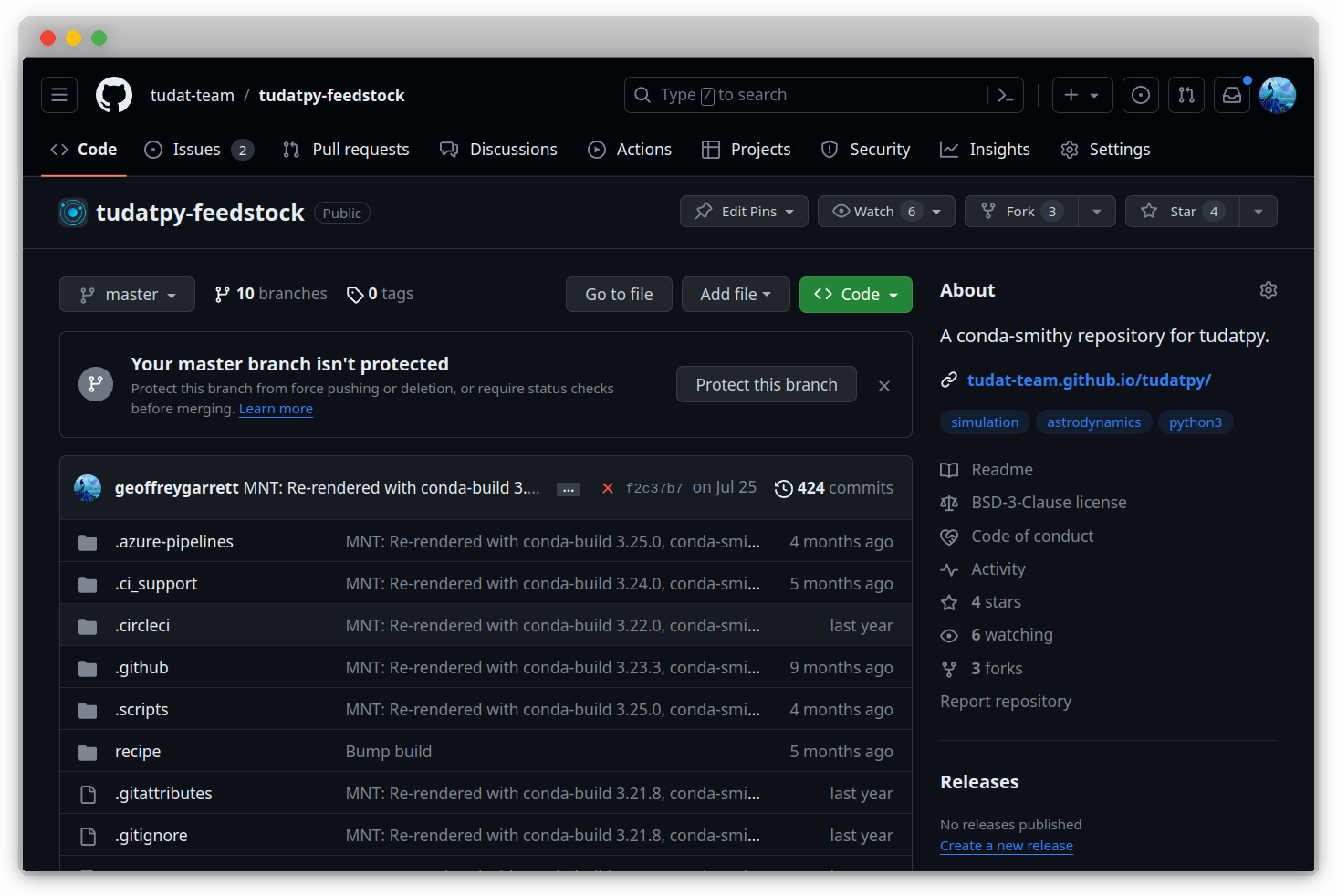
The primary purpose of feedstock repositories is to build and upload packages to Anaconda Cloud. The feedstock repository contains a recipe for building the package, which is used by Conda-smithy to build the package for different platforms. The relevant components of a feedstock repository are detailed in the following table.
File/Folder |
Description |
|---|---|
|
Contains metadata for the package, used by Conda-smithy to create the recipe for building the package. |
|
Folder created by Conda-smithy, containing the recipe for building the package. |
|
Contains the recipe for building the package; a folder created by Conda-smithy. |
|
Contains CI/CD configuration files for the package, created by Conda-smithy. |
|
Contains GitHub configuration files for the package, created by Conda-smithy. |
Feedstock Automation 🔧
The following mechanism is maintained by Conda-forge to build and upload
packages to Anaconda Cloud. It is defined in the .github/workflows/
folder of the feedstock repository. The .github/workflows/ folder contains
Note
The feedstock repository is automatically created by Conda-smithy when
the package is uploaded to Anaconda Cloud. The feedstock repository
contains a recipe for building the package, which is used by Conda-smithy
to build the package for different platforms. The feedstock repository also
contains a meta.yaml file, which contains the metadata for the package.
This file is used by Conda-smithy to create the recipe for building the
package.
Environment Variables
Environment Variables are crucial for storing configuration settings and other data. This section covers setting environment variables in different operating systems and in Python.
Access Tokens
Access Tokens are essential for secure authentication. Learn about generating and managing access tokens for various services, and setting environment variables for these tokens.
Version Control
Version Control is vital for managing changes in the codebase. This part provides an overview of Git and the essentials of repository management, commits, and collaborative features like pull requests.
Continuous Integration and Deployment
Continuous Integration and Deployment streamlines development processes. This section delves into setting up CI/CD pipelines, automated testing, and deployment practices.
Todo
Expand on setting up environment variables in CI/CD pipelines.
Include a case study on integrating Git with CI/CD tools.
Discuss secure management of access tokens in automated systems.
Conclusion
The DevOps Primer covers the fundamentals of environment variables, access tokens, version control, and CI/CD in software development. It emphasizes secure, efficient, and streamlined development practices, integral to modern software engineering.
Todo
Todo
Add Azure operations related to Conda-forge feedstocks.
- Describe what happens when a feedstock is pushed to a repository:
What is triggered on Azure?
What are the relevant files?
What is the process? (Include a diagram)
Link to Conda-smithy documentation.