Generate GitHub Access Tokens
Sign In to GitHub
Navigate to GitHub and sign in.

Navigate to Settings
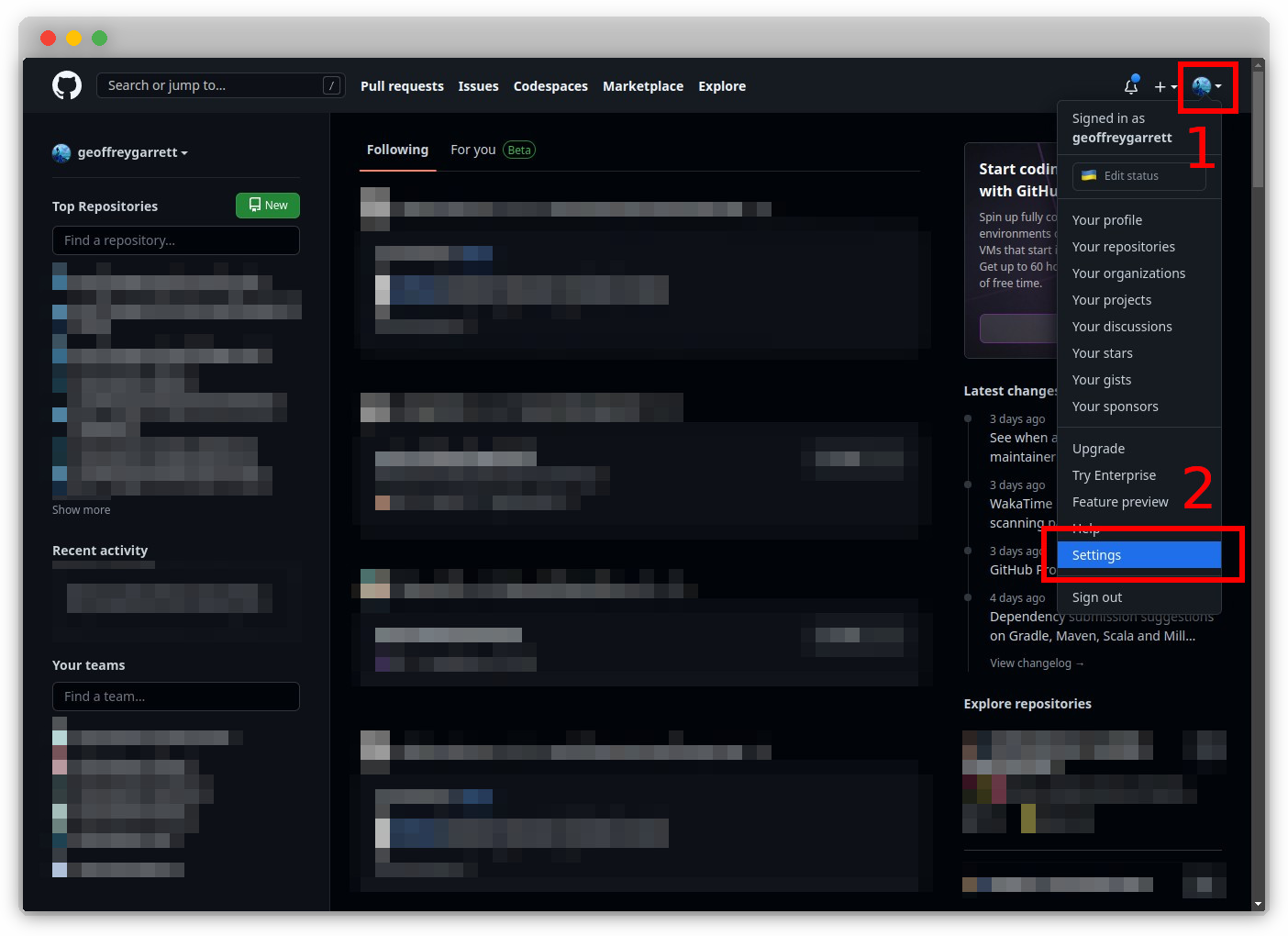
Click on your profile picture at the top-right corner and go to “Settings.”
Tip
Using dark mode can reduce eye strain–and make you a pro developer *cough*.
Developer Settings
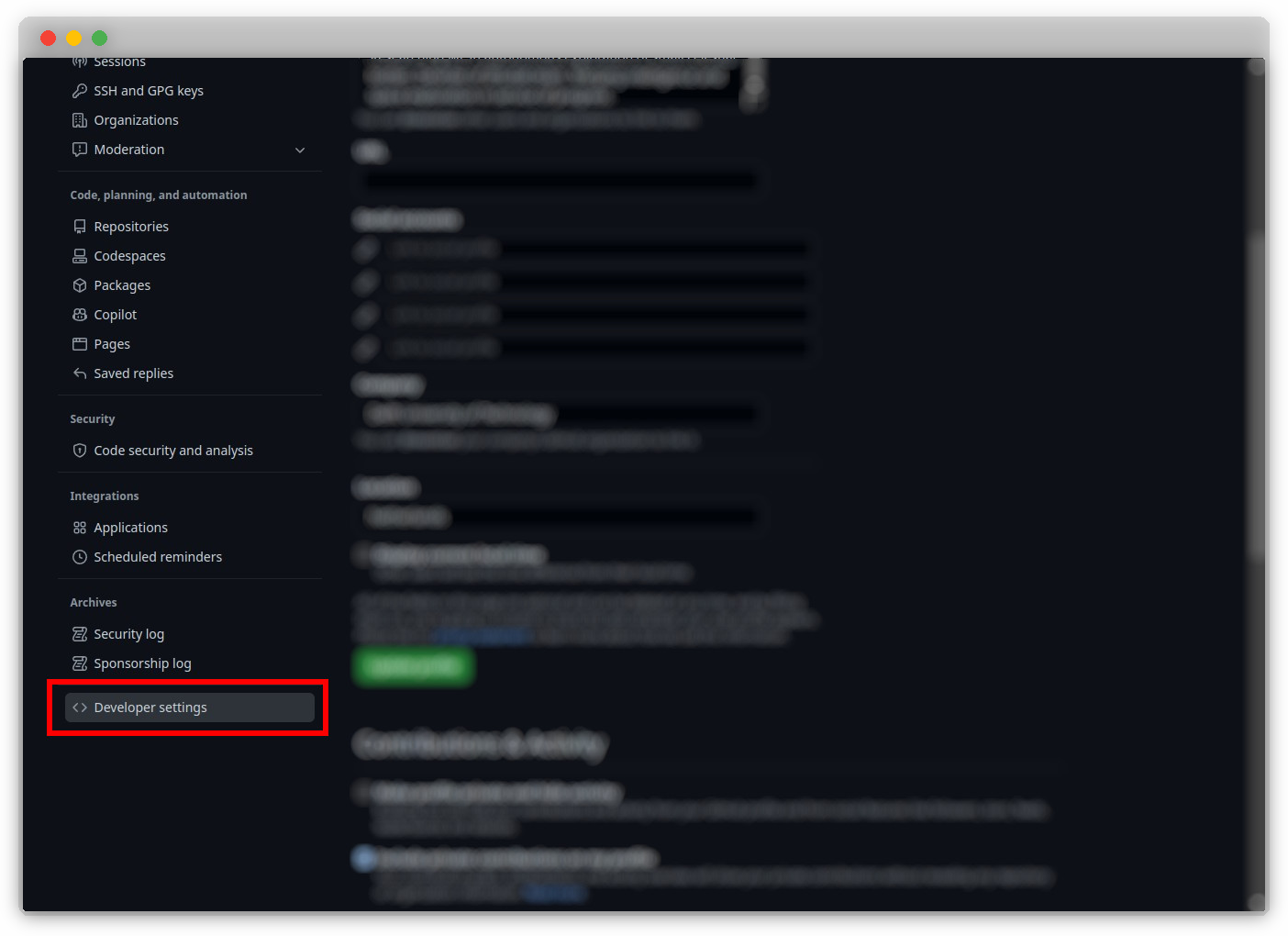
Choose “Developer settings.”
Personal Access Tokens
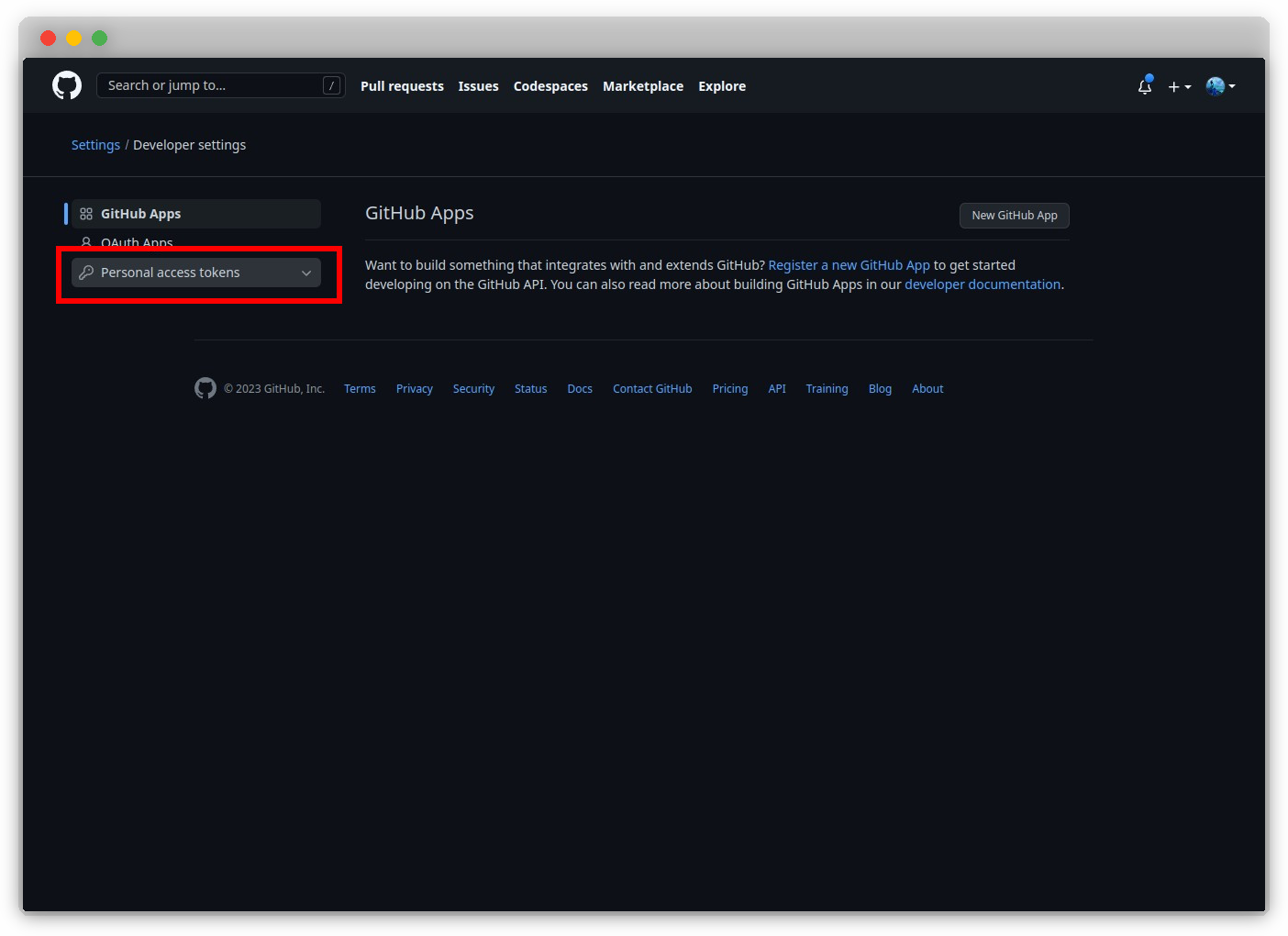
Go to “Personal access tokens.”
Generate New Token
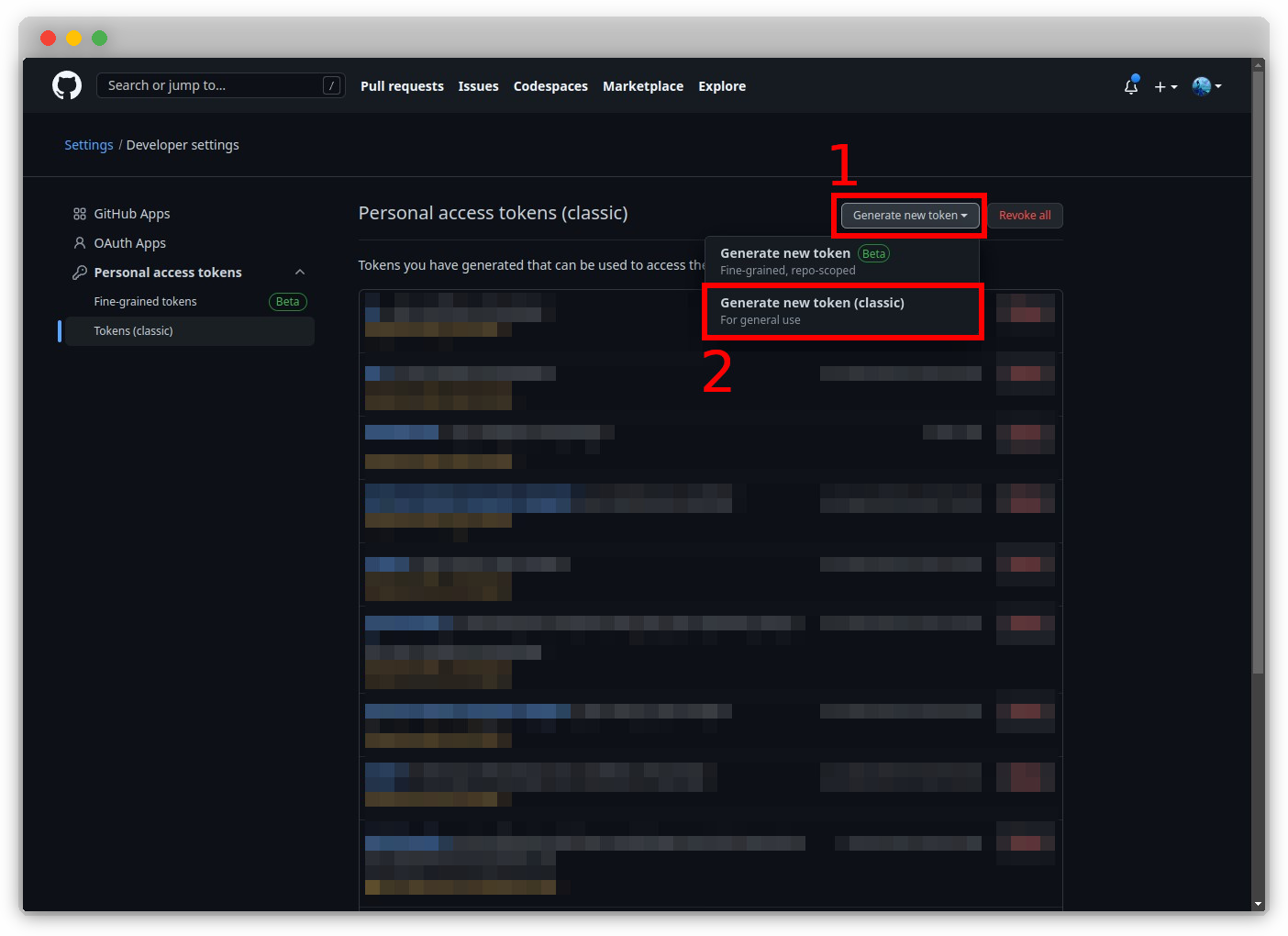
Click “Generate new token.”
Warning
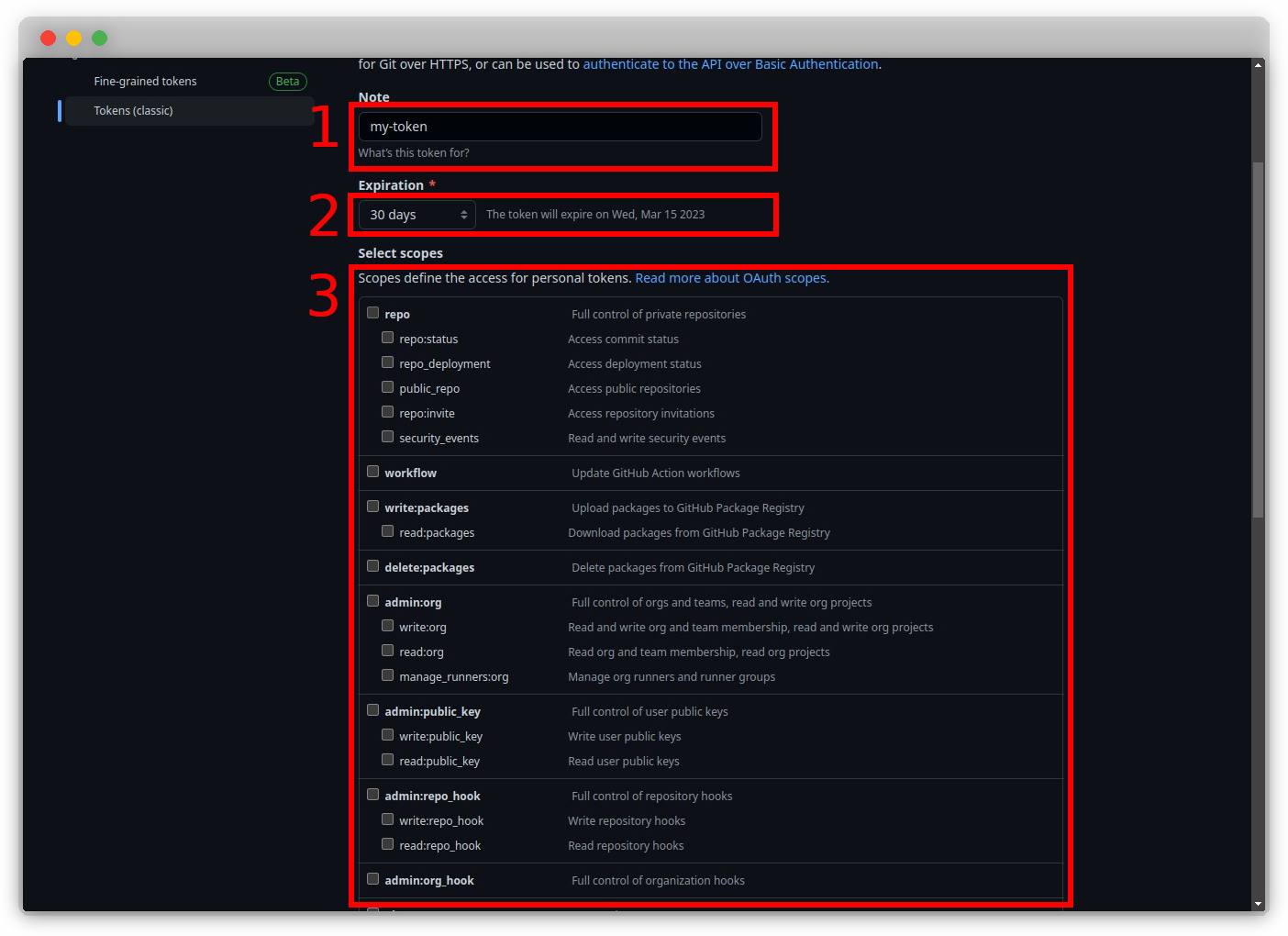
The selection of scopes is crucial. Avoid over-scoping permissions and consult the service documentation for required scopes.
Configure Token
Set the token name, expiration, and required scopes, then click “Generate token.”
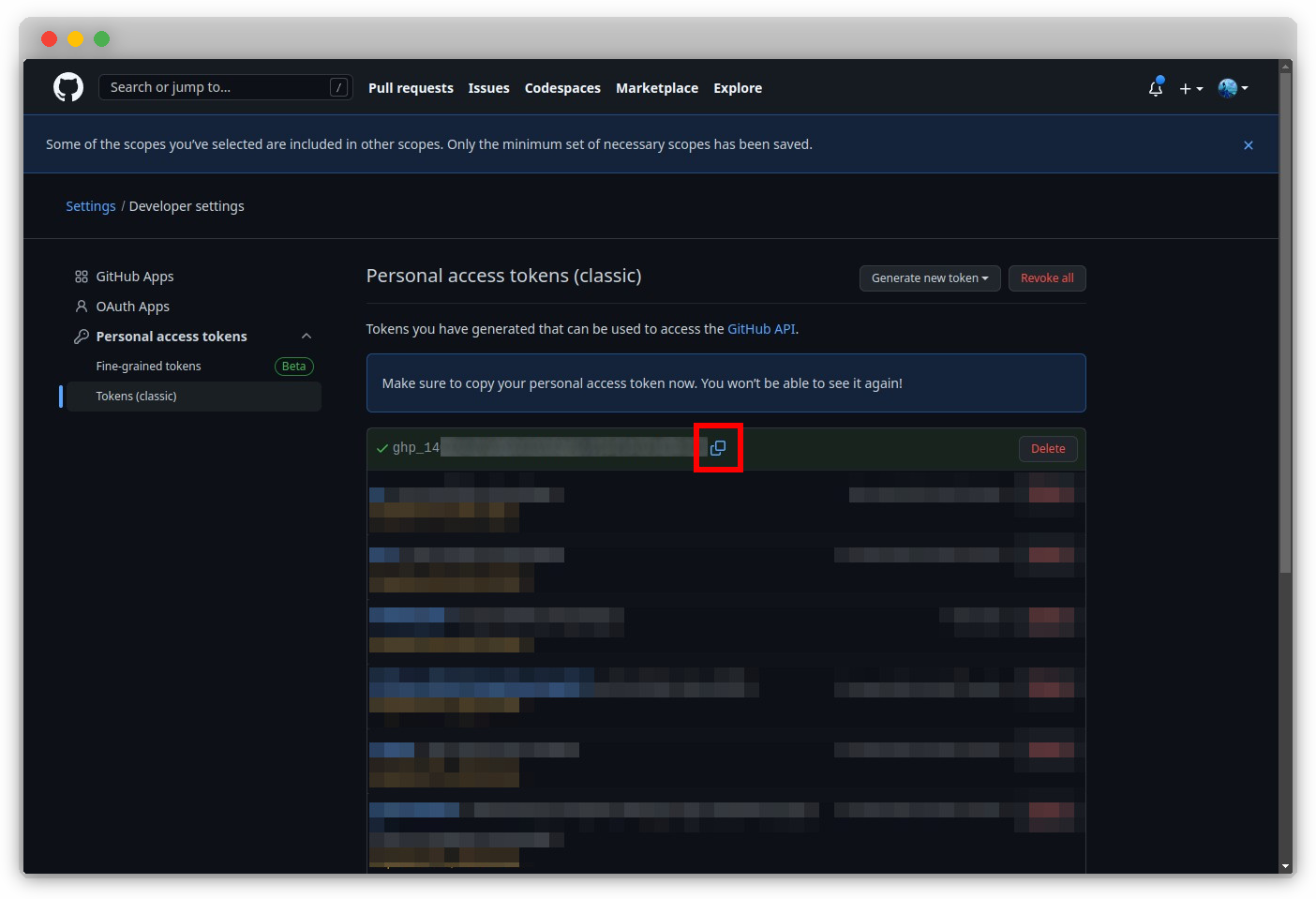
Copy Token
Copy the generated token.
Important
Never commit code that contains your tokens. Most services will automatically deactivate compromised tokens.