Generate Anaconda Cloud Access Tokens
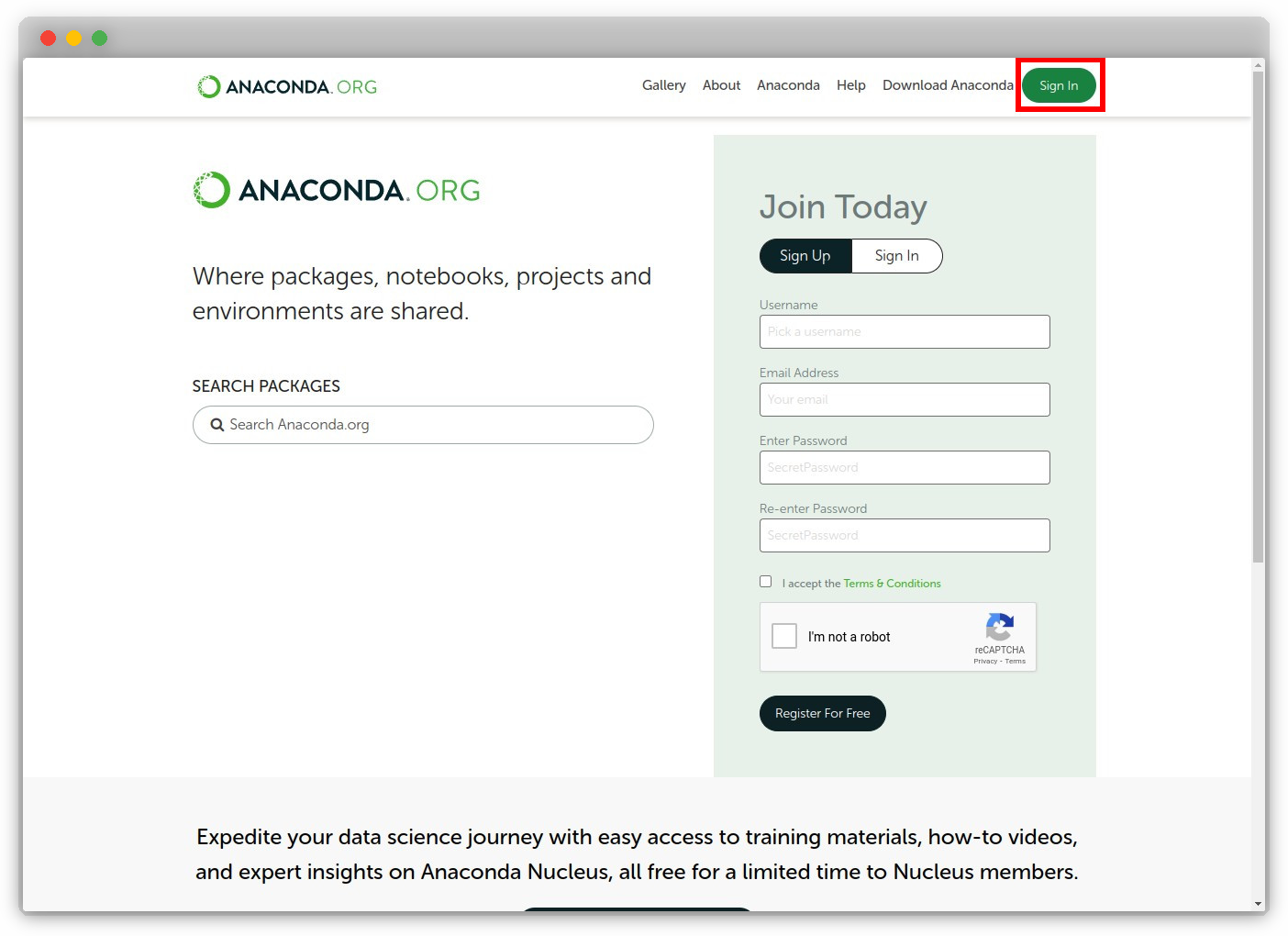
Sign In to Anaconda Cloud
Navigate to Anaconda Cloud and sign in.
Go to Organization Page
For example, if the organization is
tudat-team, navigate to https://anaconda.org/tudat-team.Access Settings
Click on the organization profile (i.e.
tudat-team) at the top-right, then choose “Settings.”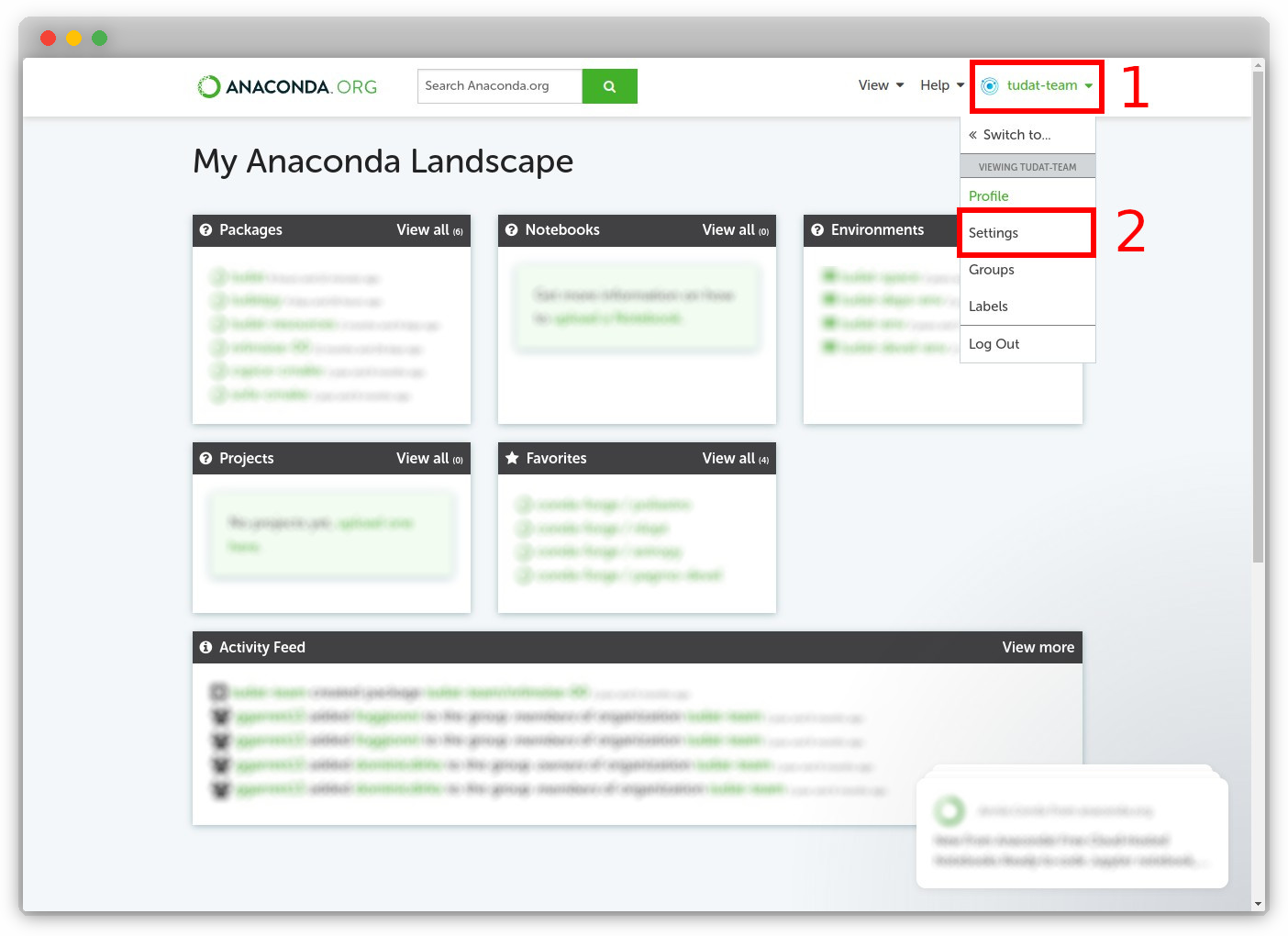
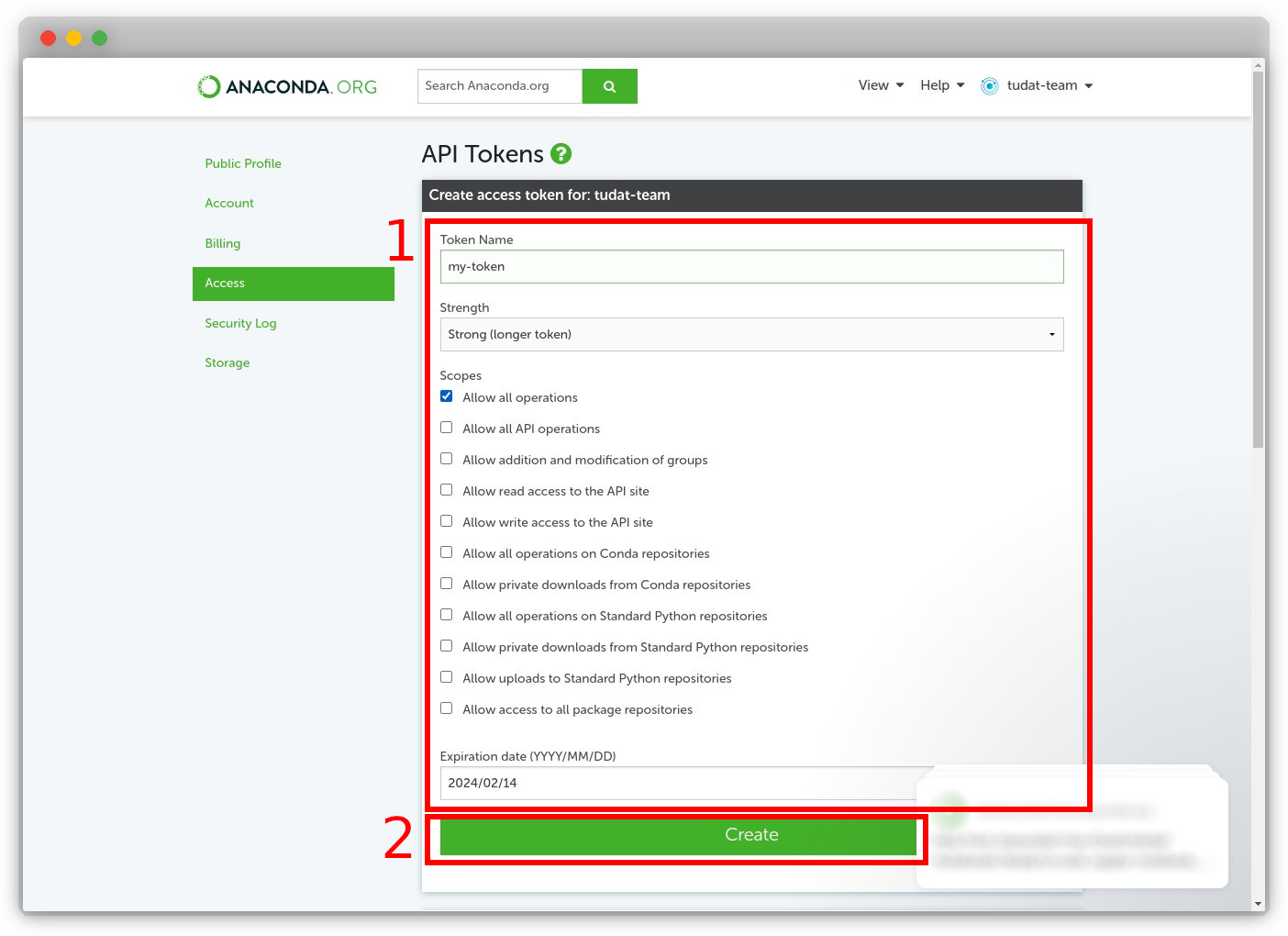
Create New Token
Fill out the token details—name, scope, expiration date—and then click “Create.”
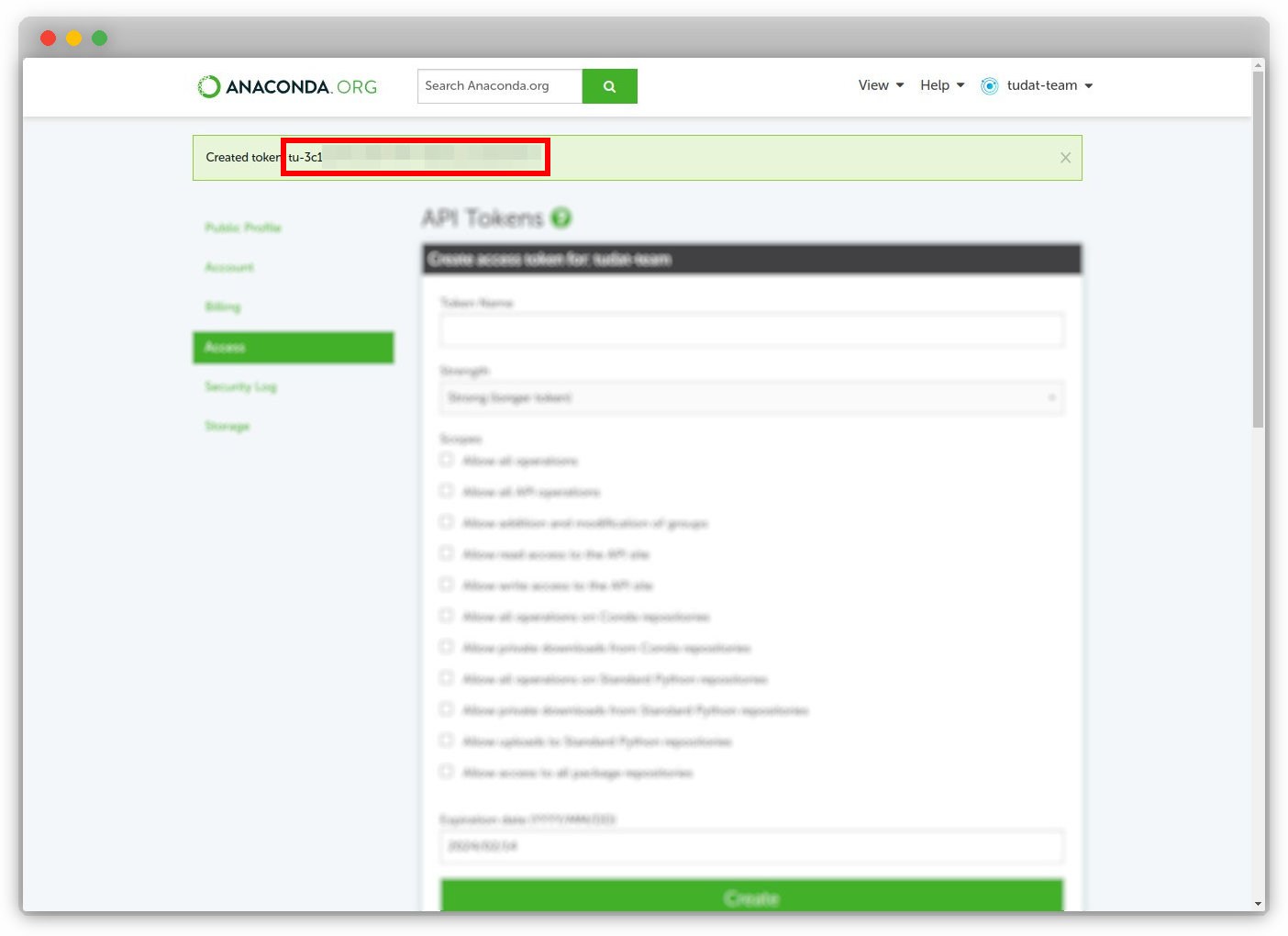
Copy and Store Token
The new token will be displayed. Make sure to copy it as it won’t be displayed again.
Important
Keep your tokens secure and private. Never commit them to a public repository.